

Bring shoppers in
Give useful category pages a clear place in search.

What we do
Services / SEO
Find the search work that fits your site, market, and next customer.
Services
Pick the search work that brings you customers.
Scroll the list to see all 15 services.
Content Marketing
Words and pages that turn a search into a customer.
Industry
Search work built around how your customers buy.
Technology
Get more customers from the platform you already run.
Services / Web Development
Build a clear, fast site that gives visitors a useful path from interest to action.
Services / Paid Advertising
Connect ad spend to the pages, audiences, and actions that matter.
Services / Email Marketing
Give customers a reason to open, respond, and come back.
Services / AI Automation
Build useful systems around the work your team already does.
Services / Branding & Design
Make the business recognizable across the places customers meet it.
Services / Social Media
Create a presence that helps people understand and remember your business.
Machina — Marketing that moves numbers.
Start a free strategy callCentral Coast & Local
Nineteen industries
One growth engine.
Design, advertising, development, and marketing built for the sectors driving what comes next — AI, fintech, health tech, and beyond.
Machina — Marketing that moves numbers.
Start a free strategy callTurn productsearches intoorders.
Shoppers buy from the store that shows up with the right page. We make your categories and products that page, clear what hides them from Google, and follow each search visit through to the order.
We can review your current search entry pages, catalog structure, and the questions customers ask before buying.

Built around the catalog
We start with the catalog and the way people ask for it. Categories need a purpose, product pages need useful detail, and filters should help shoppers without creating an endless set of duplicate URLs.
Search for stores
Shoppers do not always begin at your homepage. They arrive through a category, a product, or a specific question. Those entry pages need to be findable, useful, and connected to the rest of the store.
The store as a system: Your categories should make sense to shoppers and search engines.
Give useful category pages a clear place in search.
Answer product questions on the page where a decision happens.
Control duplicate paths from filters, variants, and changing stock.
See which organic entry pages lead shoppers toward a purchase.
The work
The priorities depend on the store, but the work follows the same path: make the right pages reachable, make them worth opening, and see whether shoppers continue.
We group the searches shoppers make by product type and buying intent, then give each useful category a clear landing page and path into the catalog.
We inspect crawl and indexation paths, duplicate or filtered URLs, internal links, speed, and structured product information before adding more pages.
We make product information clearer and more distinctive, including descriptions and answers to buying questions, so a search visitor can decide what comes next.
We review which pages bring organic visitors into the store and how those visitors move toward product views, carts, and purchases.
The work in detail
Open a topic for the questions we check, the choices we make, and what the work should produce.
We compare the catalog with the phrases people use when looking for its products. A broad category may deserve its own page, while a narrower group may work better as a filter. The decision depends on search demand, the number of useful products in the group, and whether the page can explain a distinct choice.
The site structure should make those pages easy to reach. Main navigation, related categories, and links from useful guides all help a shopper move from a broad need to a product. Clear category names also make it easier to see when two pages are trying to rank for the same search. We map existing URLs before adding more.
We review the details a buyer needs to choose: size, material, compatibility, care, fit, contents, availability, and delivery terms where they apply. The right details depend on the product. Manufacturer text can be a starting point, but repeating it across every seller gives a shopper no reason to trust this page more than another.
Product copy should describe the item accurately and make differences between close alternatives clear. Images, specifications, and customer questions should agree with the text. We also look at links to nearby products and parent categories so a visitor who found the wrong version can continue rather than leave the store.
A color, size, price, brand, and sort order can each change a URL. If every combination is treated as a separate search page, crawlers may spend time on thin or duplicate views while important categories get less attention. We inspect which filter states are linked, crawlable, and indexed before choosing a rule for them.
Some filtered groups deserve a stable landing page because people search for that exact type of product and the group has a useful selection. Others should remain shopping controls within the parent category. Canonical signals, internal links, and index rules need to support the same choice. A blanket block can hide valuable pages, so the decision is made by URL pattern and shopper intent.
Stores need a consistent rule for product variants. A size or color may belong on one parent page, while a materially different item may need its own URL. We review how the store links variants and what each page shows, then recommend a preferred version when similar URLs compete. The rule should make sense to a shopper as well as a crawler.
Stock and retirement need separate plans. An item that is out of stock for a short time may still help a shopper. Its page can offer a restock notice or a close match. If an item will not return, the old page may need a replacement, a related category, or removal. Sending every retired item to the homepage loses the reason for the visit.
We inspect whether important category and product pages are linked, render useful information, load well on a phone, and return the right status. We look for duplicate paths caused by collections, parameters, or product variants. Product structured data can describe visible details such as offers and availability, but it must follow the page as those details change.
Platform features set the practical limits. A theme, app, feed, or custom storefront may control the URLs and data a template produces. We identify which layer owns a problem before specifying a fix. That avoids asking a content editor to solve a template fault or adding a plugin when a simple setting or code change will do.
When a move is part of the scope, we first list the URLs that earn search visits and sales. Each needs a relevant new destination. Category merges, product removals, and new URL patterns call for clear decisions. Redirects preserve the route for a visitor with an old link, but the new page still needs useful content and a fitting product range.
A launch check covers redirects, internal links, index rules, canonical URLs, and key templates. After launch, we watch for missing pages, unexpected index changes, and shifts in the landing pages that bring shoppers in. A migration plan cannot prevent every change in search demand, but it can catch avoidable losses caused by broken routes or missing information.
A useful buying guide can explain fit, materials, compatibility, care, or a choice between product types. It should help a shopper make that choice and link to the categories or items that answer it. We plan such pages from actual questions and catalog gaps. Publishing broad articles that never lead to a product decision adds upkeep without helping the store.
Outside references can help when they are earned for a reason: a useful resource, a product worth covering, or a real relationship in the field. We consider whether the mention reaches the right audience and points to a relevant page. A large count of unrelated links is a poor substitute for a catalog and content system that serves buyers well.
A clear product page helps both the person who clicks and the systems that read it. We look for complete product facts, plain answers to buying questions, and links that show how an item fits within its category. Product data should match the visible price, stock state, and item details. Markup cannot make an unclear or inaccurate page useful.
We can review the questions that lead to a store and how products appear in selected search experiences. Some answers belong on product pages; others need a guide or comparison that helps someone choose. A mention in an answer is one signal to observe, not a promised placement or a sale. Product views and purchases still show whether discovery led somewhere useful.
We review which search queries and landing pages bring people into the store, then look at product views, carts, checkout, and purchases where tracking supports that path. That helps separate an indexing gain from a commercial gain. We also look for pages with strong product interest but weak movement to the next step, since the issue may be range, price, stock, or page clarity rather than rank.
Scope depends on catalog size, URL complexity, platform control, and the amount of writing or development required. An initial review can set the priorities; ongoing work can then move through batches of categories, templates, and products. We define the first batch and its checks before quoting a wider program. Search response and buying cycles vary, so milestones are tied to releases and measured signals rather than a promised sales date.
Illustrative shopping path
This is a way to read the work, not a client result. Each step needs to make sense to the person who came in from search.
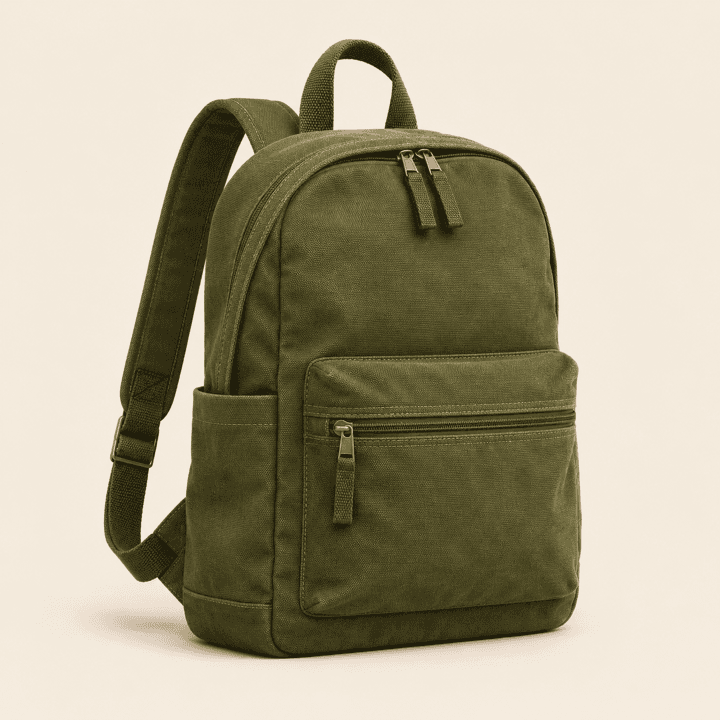
A shopper looks for a product type or a specific need.
A focused page helps narrow the range without losing the thread.
Details, availability, and alternatives help with the choice.
The visit can be followed through the cart where tracking permits.
The readout
A ranking is useful when it brings the right shopper to a useful page. We follow the route from query to category, product, and purchase so the next round of work has a reason.
Which product and category pages are indexed, shown, and clicked.
What organic visitors explore after landing and where the route breaks.
Carts and purchases attributed to organic entry pages, where tracking supports that view.
Questions
The same crawl, content, and measurement principles apply, but a store changes constantly. Products have variants and stock states; categories and filters can produce many URLs; and the sale may begin on a product page rather than the homepage. The plan has to account for those catalog rules and connect search entry pages to shopping actions.
A distinct product usually needs a page a shopper can use, but that does not mean every variant needs a separate indexable URL. The choice depends on whether variants represent different products in search and whether each page has enough unique information. We review the catalog and template behavior before setting a rule that applies across the store.
Some should, when a filtered group matches a clear search need and has a stable, useful product set. Many filter combinations serve only on-site browsing and create duplicate or thin URLs if indexed. We inventory the patterns, choose the few that warrant landing pages, and align links and index signals with that decision.
A short stock gap is different from a discontinued item. The existing page may still help shoppers find a restock option or a close alternative. If a product is gone for good, its old URL should lead to the most relevant replacement when one exists. The decision should preserve the shopper’s intent, not send every old product to the homepage.
The first step is to inspect the current platform, theme, apps, and publishing workflow. Some issues are content settings; others sit in templates or custom code. We scope what can be changed with the access and development support available, then name any dependency before work begins. A platform label alone does not tell us what the store can safely change.
Only where the current description leaves a buyer without useful detail or repeats generic copy. We prioritize products and groups with search demand, commercial value, and a clear information gap. Better specifications, fit guidance, images, or comparison details may do more than adding a long paragraph to every product.
We inventory current search entry pages, map old URLs to relevant new ones, and check the new templates before launch. After release, we test redirects and watch for missing pages, index changes, and lost internal links. Product and category changes need human decisions in the URL map; a rule that redirects everything to the nearest broad category can lose useful search intent.
We connect search entry pages to product views, carts, checkout, and sales where tracking allows it. We also look at new buyers and product groups, since visits do not all have the same value. When people return through another channel, the sales path can be hard to trace. Reports should say what was tracked and what was estimated.
It can include work that helps products and buying guides make sense in answer-led search: clear item facts, useful comparisons, reachable pages, and product data that matches what shoppers see. We can review visibility in selected search experiences, but no store can be promised a citation or placement. The main check is whether people who discover the store continue to useful products and purchases.
The cost depends on the size and condition of the catalog, the number of templates and URL patterns, the changes needed in the platform, and the amount of content work. We review those factors before defining a first phase. A quote should separate audit, implementation, and ongoing review, and identify work that needs your development or merchandising team.
Timing depends on what changes, how often the site is crawled, product demand, and the buying cycle. A fix to an established category page has a different path from a new section of the catalog. We track release dates, index changes, qualified search visits, and shopping actions so progress can be judged without promising a fixed date for sales growth.
Start with your store
We can review your current search entry pages, catalog structure, and the questions customers ask before buying.
Show us where shoppers enter and where they leave.
Prefer email? Write to hello@wearemachina.com
Prefer to talk? Call (831) 230-7787




We can review your current search entry pages, catalog structure, and the questions customers ask before buying.
We use cookies and analytics to understand how visitors use our site and improve your experience. Privacy Policy · Do Not Sell or Share My Personal Information